Preface#
These lecture notes are prepared for IST-3420, Introduction to Data Science and Management at Missouri University of Science and Technology (MS&T) at Rolla, Missouri. The course aims to provide you with a solid foundation in data science concepts and practices, supporting the learner’s future academic and career development.
How to Use This Book#
Each chapter section is an interactive Jupyter Notebook. You can:
Read through the rendered content
Interact with the code directly by downloading the notebooks locally using Binder or github
Use the Live Code cells to practice
Live Coding#
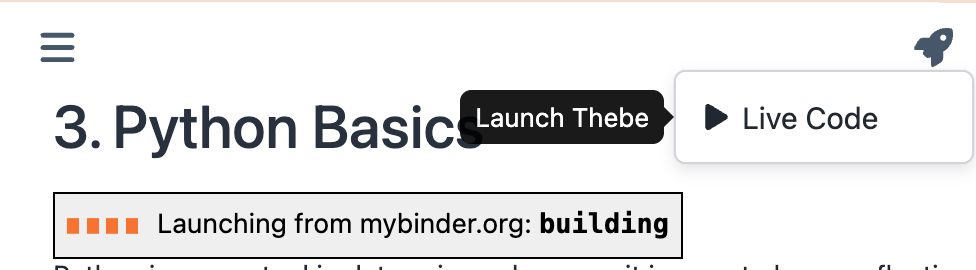
Many of the code cells allow live coding, which can be enabled by clicking on the rocket icon and then the Live Code button on the upper right corner of the page. You can edit the Live Code cells and run the cells in any browser and on your cell phone. It may take some time to launch a new Live Code session but after that you may just refresh the page and Live Code will become available soon. The live coding cells allow you to practice the concepts and skills you learn in the section.
Custom Code#
If you get the notebook files and place them in a folder in your project directory, or you write your own notebooks and want to use some features such as jupyturtle in this book, you may need additional functionalities. For this, the cell below downloads the files specifically used for this book. You don’t need to understand this code yet, but you can see that this code downloads some *.py files from Dr. Allen Downey’s GitHub repository to enable the required functionalities.
You then create a folder in your project folder called shared and place the downloaded files in it and add an empty file called __init__.py, which makes the shared folder a package. Later in any of your project notebook, you can import the modules to use the functions in the modules in the notebook:
from shared import [module]
The download function:
from os.path import basename, exists

def download(url):
    filename = basename(url)
    if not exists(filename):
        from urllib.request import urlretrieve

        local, _ = urlretrieve(url, filename)
        print("Downloaded " + str(local))
    return filename
thinkpython: ‘AllenDowney/ThinkPython ’
diagram: ‘AllenDowney/ThinkPython ’
jupyturtle: ‘ramalho/jupyturtle ’
To use the downloaded files as modules, create a directory in the project root, call it shared, and drop the files in it. In each of the notebooks that you need to import the modules, place this code snippet below at the beginning of the notebook.
import sys
from pathlib import Path

current = Path.cwd()
for parent in [current, *current.parents]:
    if (parent / '_config.yml').exists():
        project_root = parent  # ← Add project root, not chapters
        break
else:
    project_root = Path.cwd().parent.parent

sys.path.insert(0, str(project_root))

from shared import thinkpython, diagram, jupyturtle
AI in Jupyter Notebook#
To install AI components in Jupyter Notebook, you may try:
%pip install "jupyter-ai"
Don’t forget to comment out the %pip install line after installation.
To learn about
jupyter-ai, visit the Jupyter AI documentation site.
Credits#
These notes draw on several open educational resources that have informed the structure and examples used throughout the book.
Parts of the Python material are adapted from Allen Downey’s Think Python , which is an excellent introduction to Python programming. Some of the statistics material was developed with reference to UC Berkeley’s Data 8 materials, which were used in earlier offerings of this course. Additional sources are cited in the relevant chapters.
This book’s original code is shared under the MIT License . This book’s original text is shared under the Creative Commons Attribution-NonCommercial-ShareAlike 4.0 International License .